Update: SMTP/OAuth Setup is now required to send email from Gmail, Yahoo, Outlook and Other Consumer Addresses
August 19, 2026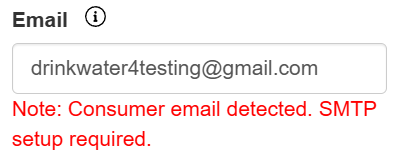
We are making an important update to how ClientTether handles email sending for users whose email address is hosted on a consumer email provider, such as Gmail, Yahoo, Outlook/Hotmail, AOL, and similar services.
Email providers have continued to strengthen their requirements around sender authentication and email reputation. To help protect the deliverability of emails sent through ClientTether—and reduce the likelihood of messages being rejected, bounced, or sent to spam—we are updating ClientTether to require users with consumer email addresses to send through their own authenticated email connection.
What is changing? Why did I get this warning?
If your ClientTether user email address uses a consumer email domain and you do not currently have a working SMTP/email connection configured, you may see a message, “You must configure SMTP before sending an email because you have a Consumer Email Domain.”
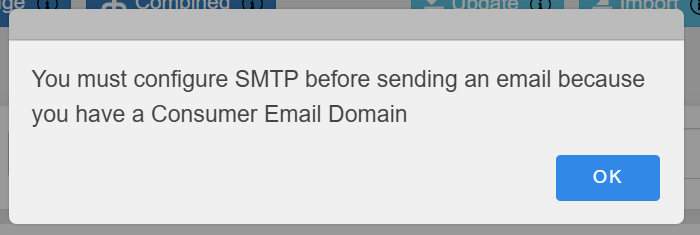
You may see this warning when attempting to send email, send group email, or in other areas where ClientTether needs to send email on behalf of that user. This warning is intentional and is designed to prevent email from being sent through an unauthenticated or inappropriate sending path.
What do I need to do?
If you see this message, connect your email account to ClientTether through your SMTP/Email settings.
Go to:
Settings → Email (SMTP & IMAP)
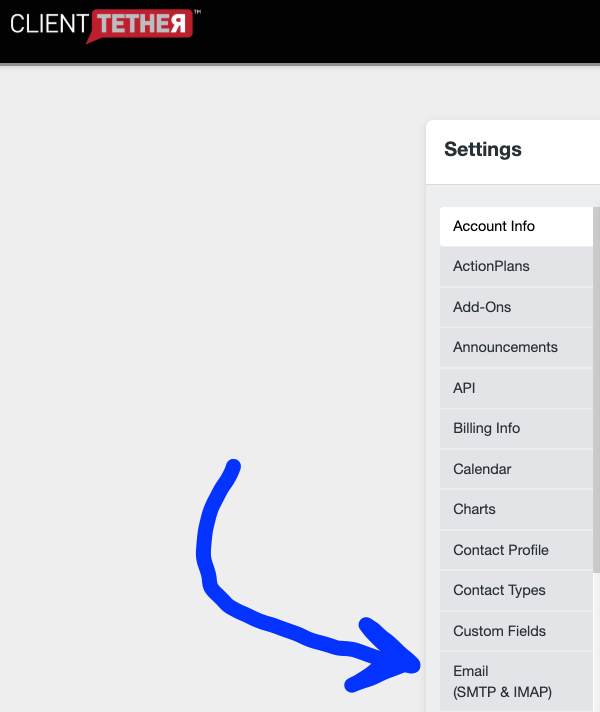
Then select the appropriate email provider from the options in the drop-down list at “Predefined Settings” and complete the connection process.
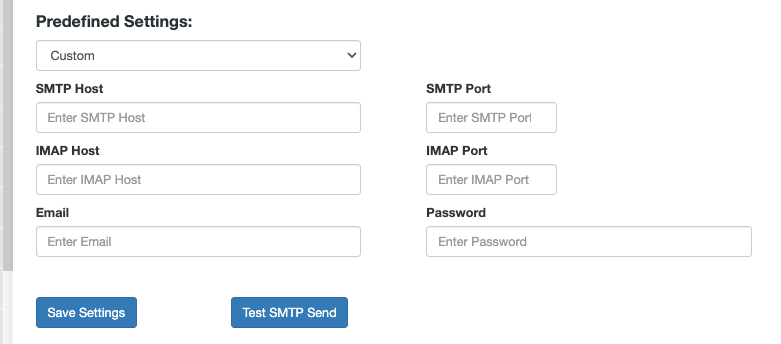
For Microsoft/Outlook accounts, this may include connecting through Microsoft OAuth. Other email providers may require their SMTP settings or other authentication information.
Once your email connection has been successfully configured and verified, ClientTether will allow email to be sent normally from that user again.
Why are we making this change?
Major email providers are placing greater emphasis on authenticated sending and sender reputation. Allowing an email address such as a Gmail or Yahoo address to send through unrelated shared email infrastructure can negatively affect deliverability and may cause messages to be rejected, bounced, or filtered as spam. This update helps ensure that email sent from ClientTether is transmitted through an authenticated sending method associated with the actual sender.
Will everyone see this warning?
No. This primarily affects ClientTether users who:
- Use a consumer email address such as Gmail, Yahoo, Outlook/Hotmail, AOL, or another public email provider, and
- Do not currently have a valid, verified email connection configured in ClientTether.
Users with properly configured email connections should continue sending normally.
If you see the SMTP warning after this update, it does not mean ClientTether email is down. It means ClientTether needs your email account to be connected and authenticated before allowing email to be sent from that address.
If you need assistance configuring your email connection, please contact ClientTether Support